Those other methods still involve disabling the games anti-cheat, so its no worse in that regard as well.

Stick to offline mode and that shouldnt happen, but again, do this at your own risk.

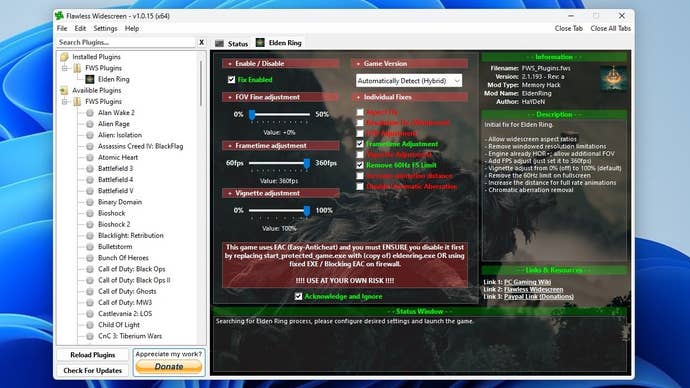
Step 1:Download, install and run theFlawless Widescreen app.

A Furnace Golem attacks the player in Elden Ring: Shadow of the Erdtree.

Step 2:Find Elden Ring in the plugin list on the left and click it to install.

Minimise Flawless Widescreen, or just leave it running on your desktop.

Save the doc and close it.
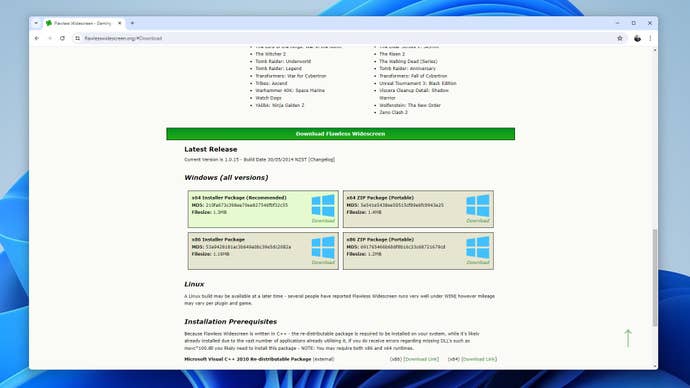
Step 1 of how to unlock the framerate in Elden Ring: Download, install and run Flawless Widescreen.

And there you have it: Elden Rings framerate, unlocked.

Simply load up a save, and explore the Lands Between without that stuffy 60fps cap.
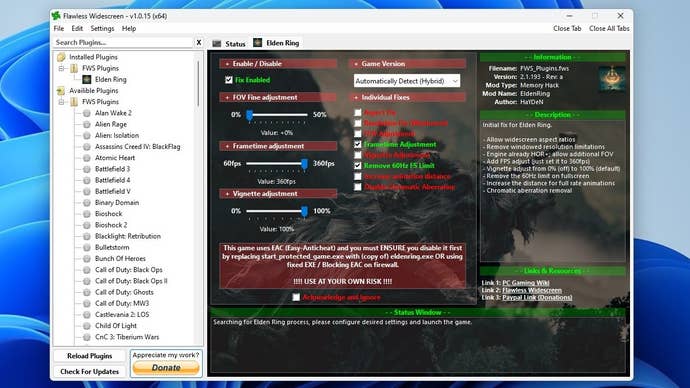
Step 2 of how to unlock the framerate in Elden Ring: Install Flawless Widescreen’s Elden Ring plugin, then in the plugin, check the Fix Enabled, Frametime Adjustment and Remove 60Hz FS Limit boxes. Set the Frametime adjustment slider all the way up to 360fps.

Step 3 of how to unlock the framerate in Elden Ring: check the Acknowledge and Ignore box.

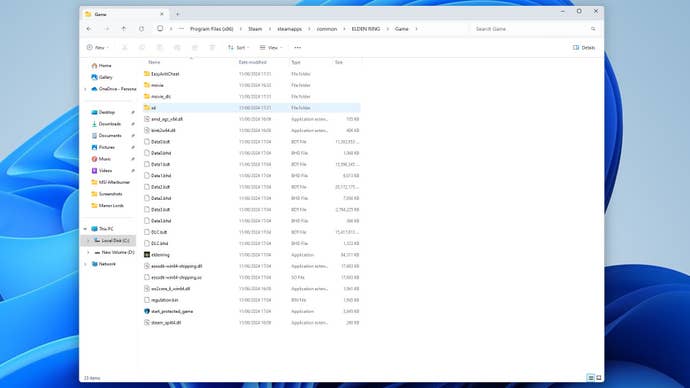
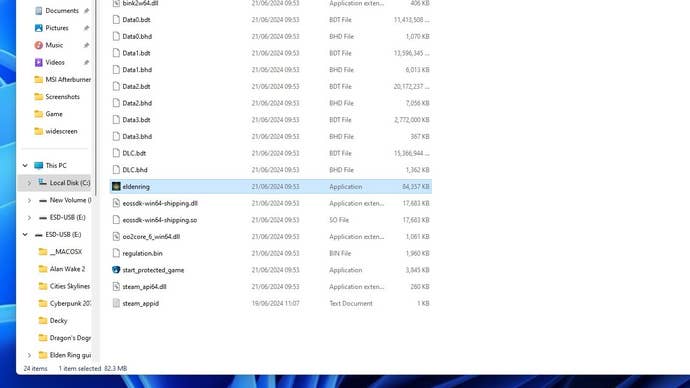
Step 4 of how to unlock the framerate in Elden Ring: In File Explorer, navigate to Elden Ring’s install directory and open the Game folder.

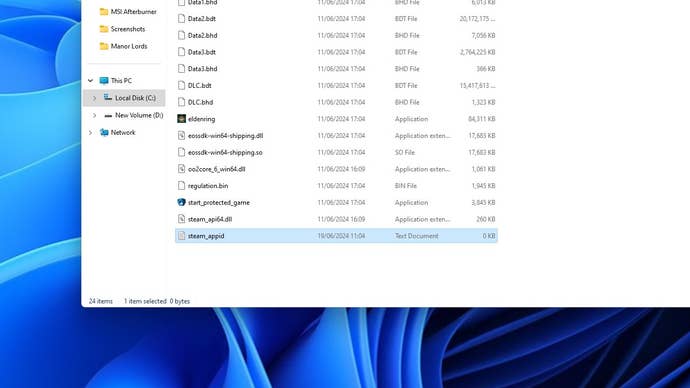
Step 5 of how to unlock the framerate in Elden Ring: create a new text document in the Game folder named steam_appid.

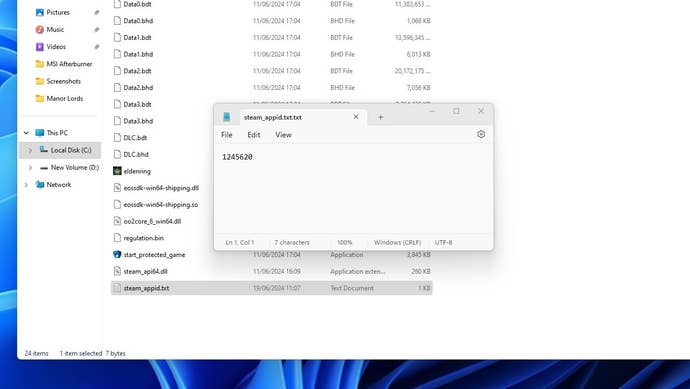
Step 6 of how to unlock the framerate in Elden Ring: open the steam_appid text file and write or paste the number 1245620 into it. Save and close the file.

Step 7 of how to unlock the framerate in Elden Ring: make sure Steam is in offline mode. In the Game folder, launch eldenring.exe - do not launch the game through Steam itself.